> ## Documentation Index
> Fetch the complete documentation index at: https://portkey-docs-mintlify-add-terraform-provider-docs-72855.mintlify.site/llms.txt
> Use this file to discover all available pages before exploring further.
# Claude Code
> Integrate Portkey with Claude Code for enterprise-grade AI coding assistance with observability and governance
Claude Code is Anthropic's agentic coding tool that lives in your terminal, understands your codebase, and helps you code faster through natural language commands.
With Portkey integration, you can enhance Claude Code with enterprise features:
* **Unified AI Gateway** - Route Claude Code through multiple providers (Anthropic, Bedrock, Vertex AI)
* **Centralized Logs** - Track all Claude Code interactions
* **Security & Governance** - Set rate limits, implement access controls, and audit all AI usage
This integration uses Portkey's Gateway Passthrough feature. Advanced Portkey capabilities - such as cost calculation, reliability features, and more are not supported yet.
# 1. Setting up Portkey
Before integrating with Claude Code, you'll need to set up the core Portkey components.
Virtual Keys securely manage your LLM provider API keys with built-in controls:
* Budget limits and rate limiting
* Secure credential storage
* Provider switching without code changes
To create a virtual key:
1. Go to [Virtual Keys](https://app.portkey.ai/virtual-keys) in Portkey
2. Add your provider (Anthropic, Bedrock, or Vertex AI) credentials
3. Save and copy the virtual key ID
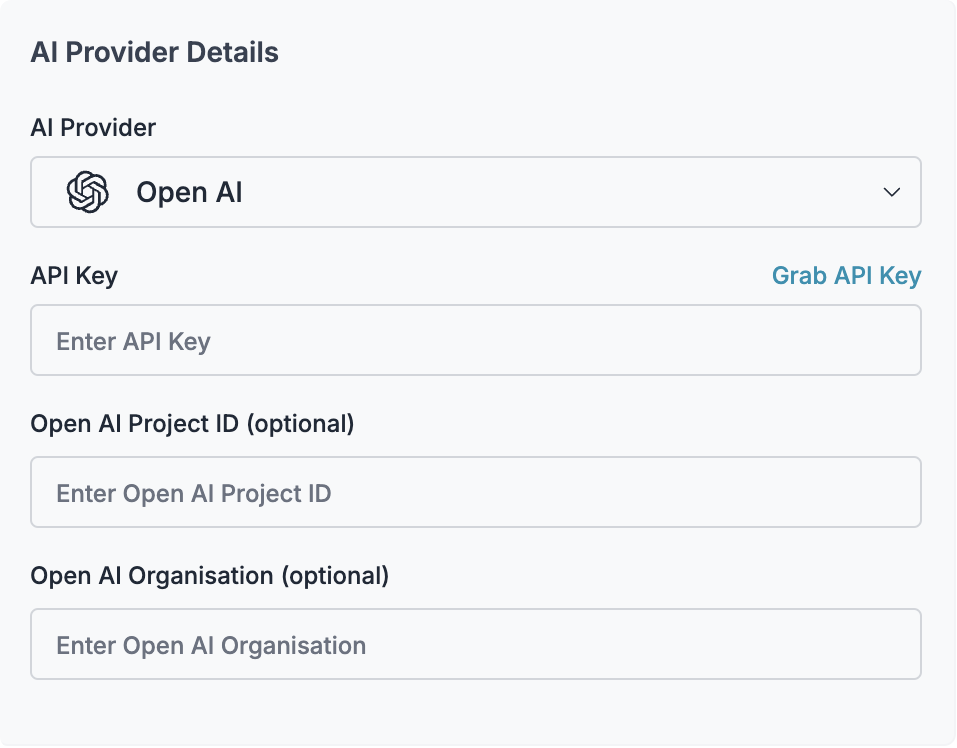 Save your virtual key ID - you'll need it for Claude Code configuration.
Configs enable advanced routing features. You can either use a virtual key directly or create a config for more control.
To create a config:
1. Go to [Configs](https://app.portkey.ai/configs) in Portkey
2. Create new config:
```json theme={null}
{
"virtual_key": "YOUR_VIRTUAL_KEY_ID",
"override_params": {
"model": "us.anthropic.claude-sonnet-4-20250514-v1:0"
}
}
```
3. Save and note the Config ID
Configs are optional but recommended for production deployments with fallbacks and load balancing.
1. Go to [API Keys](https://app.portkey.ai/api-keys) in Portkey
2. Create or copy your existing API key
3. Keep it ready for the next steps
# 2. Integrate Portkey with Claude Code
Claude Code uses a `settings.json` file for configuration. You'll need to modify the environment variables to route requests through Portkey.
For more details on Claude Code proxy configuration, see [Anthropic's documentation](https://docs.anthropic.com/en/docs/claude-code/bedrock-vertex-proxies).
Edit your Claude Code settings file (`~/.claude/settings.json` for global or `.claude/settings.json` in your project):
```json theme={null}
{
"env": {
"ANTHROPIC_BEDROCK_BASE_URL": "https://api.portkey.ai/v1",
"ANTHROPIC_CUSTOM_HEADERS": "x-portkey-api-key: YOUR_PORTKEY_API_KEY\nx-portkey-provider: bedrock\nx-portkey-virtual-key: YOUR_VIRTUAL_KEY",
"ANTHROPIC_MODEL": "us.anthropic.claude-sonnet-4-20250514-v1:0",
"CLAUDE_CODE_SKIP_BEDROCK_AUTH": 1,
"CLAUDE_CODE_USE_BEDROCK": 1
}
}
```
The `CLAUDE_CODE_SKIP_BEDROCK_AUTH` and `CLAUDE_CODE_USE_BEDROCK` must be set as numbers (not strings).
Replace:
* `YOUR_PORTKEY_API_KEY` with your Portkey API key
* `YOUR_VIRTUAL_KEY` with the virtual key ID from Step 1
* Update the model name if using a different Claude model
For Vertex AI integration:
```json theme={null}
{
"env": {
"ANTHROPIC_VERTEX_BASE_URL": "https://api.portkey.ai/v1",
"ANTHROPIC_CUSTOM_HEADERS": "x-portkey-api-key: YOUR_PORTKEY_API_KEY\nx-portkey-provider: vertex-ai\nx-portkey-virtual-key: YOUR_VIRTUAL_KEY",
"ANTHROPIC_MODEL": "claude-3-7-sonnet@20250219",
"CLAUDE_CODE_SKIP_VERTEX_AUTH": 1,
"CLAUDE_CODE_USE_VERTEX": 1
}
}
```
Use `ANTHROPIC_VERTEX_BASE_URL` specifically for Vertex AI, not the generic base URL.
For direct Anthropic API usage:
```json theme={null}
{
"env": {
"ANTHROPIC_BASE_URL": "https://api.portkey.ai/v1",
"ANTHROPIC_CUSTOM_HEADERS": "x-portkey-api-key: YOUR_PORTKEY_API_KEY\nx-portkey-provider: anthropic\nx-portkey-virtual-key: YOUR_VIRTUAL_KEY",
"ANTHROPIC_MODEL": "claude-sonnet-4-20250514"
}
}
```
If you created a Portkey config for any provider:
```json theme={null}
{
"env": {
"ANTHROPIC_BEDROCK_BASE_URL": "https://api.portkey.ai/v1",
"ANTHROPIC_CUSTOM_HEADERS": "x-portkey-api-key: YOUR_PORTKEY_API_KEY\nx-portkey-config: YOUR_CONFIG_ID",
"ANTHROPIC_MODEL": "us.anthropic.claude-sonnet-4-20250514-v1:0",
"CLAUDE_CODE_SKIP_BEDROCK_AUTH": 1,
"CLAUDE_CODE_USE_BEDROCK": 1
}
}
```
When using a config, Portkey will use the provider settings defined in your config.
## Complete Configuration Example
Here's a full `settings.json` example with permissions and Bedrock configuration:
```json theme={null}
{
"permissions": {
"allow": [
"Bash(npm run lint)",
"Bash(npm run test:*)",
"Read(~/.zshrc)"
],
"deny": [
"Bash(curl:*)"
]
},
"env": {
"ANTHROPIC_BEDROCK_BASE_URL": "https://api.portkey.ai/v1",
"ANTHROPIC_CUSTOM_HEADERS": "x-portkey-api-key: YOUR_PORTKEY_API_KEY\nx-portkey-provider: bedrock\nx-portkey-virtual-key: YOUR_VIRTUAL_KEY",
"ANTHROPIC_MODEL": "us.anthropic.claude-sonnet-4-20250514-v1:0",
"CLAUDE_CODE_SKIP_BEDROCK_AUTH": 1,
"CLAUDE_CODE_USE_BEDROCK": 1
}
}
```
## Adding Custom Metadata
Track Claude Code usage by team, project, or user:
```json theme={null}
{
"env": {
"ANTHROPIC_BEDROCK_BASE_URL": "https://api.portkey.ai/v1",
"ANTHROPIC_CUSTOM_HEADERS": "x-portkey-api-key: YOUR_PORTKEY_API_KEY\nx-portkey-config: YOUR_CONFIG_ID\nx-portkey-metadata: {\"_user\": \"john.doe\", \"team\": \"engineering\", \"project\": \"backend-api\"}",
"CLAUDE_CODE_SKIP_BEDROCK_AUTH": 1,
"CLAUDE_CODE_USE_BEDROCK": 1
}
}
```
## Verifying the Integration
After configuring, test Claude Code:
```bash theme={null}
# Start Claude Code
claude
# Ask it to perform a task
> explain the authentication flow in this codebase
```
You should see:
1. Claude Code functioning normally in your terminal
2. Requests appearing in your [Portkey logs](https://app.portkey.ai/logs)
3. Metrics updating in your [Portkey dashboard](https://app.portkey.ai/dashboard)
# 3. Set Up Enterprise Governance for Claude Code
When deploying Claude Code across your organization, implement these governance controls:
Create separate virtual keys for each team with specific limits:
1. **Engineering Team**
* Budget: \$500/month
* Models: Claude Sonnet only
* Rate limit: 100 requests/minute
2. **Data Science Team**
* Budget: \$1000/month
* Models: All Claude models
* Rate limit: 200 requests/minute
Deploy team-specific `settings.json` through your configuration management:
```json theme={null}
{
"env": {
"ANTHROPIC_BEDROCK_BASE_URL": "https://api.portkey.ai/v1",
"ANTHROPIC_CUSTOM_HEADERS": "x-portkey-api-key: TEAM_PORTKEY_API_KEY\nx-portkey-virtual-key: TEAM_VIRTUAL_KEY",
"ANTHROPIC_MODEL": "us.anthropic.claude-sonnet-4-20250514-v1:0",
"CLAUDE_CODE_SKIP_BEDROCK_AUTH": 1,
"CLAUDE_CODE_USE_BEDROCK": 1
}
}
```
For enterprise deployments, use policy files to enforce settings:
**macOS**: `/Library/Application Support/ClaudeCode/policies.json`
**Linux/WSL**: `/etc/claude-code/policies.json`
Example policy file:
```json theme={null}
{
"env": {
"ANTHROPIC_BEDROCK_BASE_URL": "https://api.portkey.ai/v1",
"ANTHROPIC_CUSTOM_HEADERS": "x-portkey-api-key: ENTERPRISE_API_KEY\nx-portkey-config: ENTERPRISE_CONFIG_ID",
"CLAUDE_CODE_SKIP_BEDROCK_AUTH": 1,
"CLAUDE_CODE_USE_BEDROCK": 1
},
"permissions": {
"deny": [
"Bash(rm -rf*)",
"Edit(/etc/*)"
]
}
}
```
Set up monitoring in Portkey:
1. **Create Alerts**
* Budget threshold warnings at 80%
* Unusual usage patterns
* Failed request spikes
2. **Regular Reviews**
* Weekly cost reports by team
* Model usage distribution
* Performance metrics
3. **Compliance Tracking**
* Export logs for audit trails
* Monitor for sensitive data in prompts
* Track user activity patterns
# Advanced Features
## Caching for Faster Responses
Enable caching in your Portkey config to speed up repeated queries:
```json theme={null}
{
"virtual_key": "YOUR_VIRTUAL_KEY",
"cache": {
"mode": "simple",
}
}
```
## Security & Compliance
Set up fine-grained permissions and audit logging
Prevent overspending with hard budget limits
Track all Claude Code usage for compliance
# References
* [Claude Code Proxy Documentation](https://docs.anthropic.com/en/docs/claude-code/bedrock-vertex-proxies) - Official Anthropic documentation for proxy configuration
* [Portkey Virtual Keys](/product/ai-gateway/virtual-keys) - Secure credential management
* [Portkey Configs](/product/ai-gateway/configs) - Advanced routing configuration
# Next Steps
* [Set up team workflows](/docs/product/enterprise-offering/org-management) with role-based access
* [Configure advanced routing](/docs/product/ai-gateway) for reliability
* [Monitor usage patterns](/docs/product/observability) across your organization
For enterprise support and custom features, contact our [enterprise team](https://portkey.sh/claude-code-enterprise).
Save your virtual key ID - you'll need it for Claude Code configuration.
Configs enable advanced routing features. You can either use a virtual key directly or create a config for more control.
To create a config:
1. Go to [Configs](https://app.portkey.ai/configs) in Portkey
2. Create new config:
```json theme={null}
{
"virtual_key": "YOUR_VIRTUAL_KEY_ID",
"override_params": {
"model": "us.anthropic.claude-sonnet-4-20250514-v1:0"
}
}
```
3. Save and note the Config ID
Configs are optional but recommended for production deployments with fallbacks and load balancing.
1. Go to [API Keys](https://app.portkey.ai/api-keys) in Portkey
2. Create or copy your existing API key
3. Keep it ready for the next steps
# 2. Integrate Portkey with Claude Code
Claude Code uses a `settings.json` file for configuration. You'll need to modify the environment variables to route requests through Portkey.
For more details on Claude Code proxy configuration, see [Anthropic's documentation](https://docs.anthropic.com/en/docs/claude-code/bedrock-vertex-proxies).
Edit your Claude Code settings file (`~/.claude/settings.json` for global or `.claude/settings.json` in your project):
```json theme={null}
{
"env": {
"ANTHROPIC_BEDROCK_BASE_URL": "https://api.portkey.ai/v1",
"ANTHROPIC_CUSTOM_HEADERS": "x-portkey-api-key: YOUR_PORTKEY_API_KEY\nx-portkey-provider: bedrock\nx-portkey-virtual-key: YOUR_VIRTUAL_KEY",
"ANTHROPIC_MODEL": "us.anthropic.claude-sonnet-4-20250514-v1:0",
"CLAUDE_CODE_SKIP_BEDROCK_AUTH": 1,
"CLAUDE_CODE_USE_BEDROCK": 1
}
}
```
The `CLAUDE_CODE_SKIP_BEDROCK_AUTH` and `CLAUDE_CODE_USE_BEDROCK` must be set as numbers (not strings).
Replace:
* `YOUR_PORTKEY_API_KEY` with your Portkey API key
* `YOUR_VIRTUAL_KEY` with the virtual key ID from Step 1
* Update the model name if using a different Claude model
For Vertex AI integration:
```json theme={null}
{
"env": {
"ANTHROPIC_VERTEX_BASE_URL": "https://api.portkey.ai/v1",
"ANTHROPIC_CUSTOM_HEADERS": "x-portkey-api-key: YOUR_PORTKEY_API_KEY\nx-portkey-provider: vertex-ai\nx-portkey-virtual-key: YOUR_VIRTUAL_KEY",
"ANTHROPIC_MODEL": "claude-3-7-sonnet@20250219",
"CLAUDE_CODE_SKIP_VERTEX_AUTH": 1,
"CLAUDE_CODE_USE_VERTEX": 1
}
}
```
Use `ANTHROPIC_VERTEX_BASE_URL` specifically for Vertex AI, not the generic base URL.
For direct Anthropic API usage:
```json theme={null}
{
"env": {
"ANTHROPIC_BASE_URL": "https://api.portkey.ai/v1",
"ANTHROPIC_CUSTOM_HEADERS": "x-portkey-api-key: YOUR_PORTKEY_API_KEY\nx-portkey-provider: anthropic\nx-portkey-virtual-key: YOUR_VIRTUAL_KEY",
"ANTHROPIC_MODEL": "claude-sonnet-4-20250514"
}
}
```
If you created a Portkey config for any provider:
```json theme={null}
{
"env": {
"ANTHROPIC_BEDROCK_BASE_URL": "https://api.portkey.ai/v1",
"ANTHROPIC_CUSTOM_HEADERS": "x-portkey-api-key: YOUR_PORTKEY_API_KEY\nx-portkey-config: YOUR_CONFIG_ID",
"ANTHROPIC_MODEL": "us.anthropic.claude-sonnet-4-20250514-v1:0",
"CLAUDE_CODE_SKIP_BEDROCK_AUTH": 1,
"CLAUDE_CODE_USE_BEDROCK": 1
}
}
```
When using a config, Portkey will use the provider settings defined in your config.
## Complete Configuration Example
Here's a full `settings.json` example with permissions and Bedrock configuration:
```json theme={null}
{
"permissions": {
"allow": [
"Bash(npm run lint)",
"Bash(npm run test:*)",
"Read(~/.zshrc)"
],
"deny": [
"Bash(curl:*)"
]
},
"env": {
"ANTHROPIC_BEDROCK_BASE_URL": "https://api.portkey.ai/v1",
"ANTHROPIC_CUSTOM_HEADERS": "x-portkey-api-key: YOUR_PORTKEY_API_KEY\nx-portkey-provider: bedrock\nx-portkey-virtual-key: YOUR_VIRTUAL_KEY",
"ANTHROPIC_MODEL": "us.anthropic.claude-sonnet-4-20250514-v1:0",
"CLAUDE_CODE_SKIP_BEDROCK_AUTH": 1,
"CLAUDE_CODE_USE_BEDROCK": 1
}
}
```
## Adding Custom Metadata
Track Claude Code usage by team, project, or user:
```json theme={null}
{
"env": {
"ANTHROPIC_BEDROCK_BASE_URL": "https://api.portkey.ai/v1",
"ANTHROPIC_CUSTOM_HEADERS": "x-portkey-api-key: YOUR_PORTKEY_API_KEY\nx-portkey-config: YOUR_CONFIG_ID\nx-portkey-metadata: {\"_user\": \"john.doe\", \"team\": \"engineering\", \"project\": \"backend-api\"}",
"CLAUDE_CODE_SKIP_BEDROCK_AUTH": 1,
"CLAUDE_CODE_USE_BEDROCK": 1
}
}
```
## Verifying the Integration
After configuring, test Claude Code:
```bash theme={null}
# Start Claude Code
claude
# Ask it to perform a task
> explain the authentication flow in this codebase
```
You should see:
1. Claude Code functioning normally in your terminal
2. Requests appearing in your [Portkey logs](https://app.portkey.ai/logs)
3. Metrics updating in your [Portkey dashboard](https://app.portkey.ai/dashboard)
# 3. Set Up Enterprise Governance for Claude Code
When deploying Claude Code across your organization, implement these governance controls:
Create separate virtual keys for each team with specific limits:
1. **Engineering Team**
* Budget: \$500/month
* Models: Claude Sonnet only
* Rate limit: 100 requests/minute
2. **Data Science Team**
* Budget: \$1000/month
* Models: All Claude models
* Rate limit: 200 requests/minute
Deploy team-specific `settings.json` through your configuration management:
```json theme={null}
{
"env": {
"ANTHROPIC_BEDROCK_BASE_URL": "https://api.portkey.ai/v1",
"ANTHROPIC_CUSTOM_HEADERS": "x-portkey-api-key: TEAM_PORTKEY_API_KEY\nx-portkey-virtual-key: TEAM_VIRTUAL_KEY",
"ANTHROPIC_MODEL": "us.anthropic.claude-sonnet-4-20250514-v1:0",
"CLAUDE_CODE_SKIP_BEDROCK_AUTH": 1,
"CLAUDE_CODE_USE_BEDROCK": 1
}
}
```
For enterprise deployments, use policy files to enforce settings:
**macOS**: `/Library/Application Support/ClaudeCode/policies.json`
**Linux/WSL**: `/etc/claude-code/policies.json`
Example policy file:
```json theme={null}
{
"env": {
"ANTHROPIC_BEDROCK_BASE_URL": "https://api.portkey.ai/v1",
"ANTHROPIC_CUSTOM_HEADERS": "x-portkey-api-key: ENTERPRISE_API_KEY\nx-portkey-config: ENTERPRISE_CONFIG_ID",
"CLAUDE_CODE_SKIP_BEDROCK_AUTH": 1,
"CLAUDE_CODE_USE_BEDROCK": 1
},
"permissions": {
"deny": [
"Bash(rm -rf*)",
"Edit(/etc/*)"
]
}
}
```
Set up monitoring in Portkey:
1. **Create Alerts**
* Budget threshold warnings at 80%
* Unusual usage patterns
* Failed request spikes
2. **Regular Reviews**
* Weekly cost reports by team
* Model usage distribution
* Performance metrics
3. **Compliance Tracking**
* Export logs for audit trails
* Monitor for sensitive data in prompts
* Track user activity patterns
# Advanced Features
## Caching for Faster Responses
Enable caching in your Portkey config to speed up repeated queries:
```json theme={null}
{
"virtual_key": "YOUR_VIRTUAL_KEY",
"cache": {
"mode": "simple",
}
}
```
## Security & Compliance
Set up fine-grained permissions and audit logging
Prevent overspending with hard budget limits
Track all Claude Code usage for compliance
# References
* [Claude Code Proxy Documentation](https://docs.anthropic.com/en/docs/claude-code/bedrock-vertex-proxies) - Official Anthropic documentation for proxy configuration
* [Portkey Virtual Keys](/product/ai-gateway/virtual-keys) - Secure credential management
* [Portkey Configs](/product/ai-gateway/configs) - Advanced routing configuration
# Next Steps
* [Set up team workflows](/docs/product/enterprise-offering/org-management) with role-based access
* [Configure advanced routing](/docs/product/ai-gateway) for reliability
* [Monitor usage patterns](/docs/product/observability) across your organization
For enterprise support and custom features, contact our [enterprise team](https://portkey.sh/claude-code-enterprise).